INTEGRATED TICKETING ECOSYSTEM

A complete point-of-sales solution — from online ticket booking to offline POS, admin configuration, and customer-facing experiences. All in one seamless ecosystem. Fully white-labelable with your brand.

Scroll

THE COMPLETE
POS ECOSYSTEM

Our POS ecosystem integrates every aspect of the customer journey — from booking tickets online to managing sales offline, configuring admin settings, and providing customers a seamless experience to view their tickets and queue information.

Built for entertainment venues and attractions, the platform handles seasonal pricing, promotions, multi-tenant profit sharing, role-based access control, and real-time queue management — all from a unified system.

4 Integrated Platforms
15+ Core Features
24/7 Offline Capable

FOUR PLATFORMS,
ONE ECOSYSTEM

Web Admin

Full-featured admin panel for configuring the POS system — manage seasons, pricing, promotions, reports, user access, and tenant profit sharing.

View Features →

Web Customer

Customer-facing platform for booking tickets online, viewing purchased tickets, checking attraction crowds, and monitoring queue status in real-time.

View Features →

Offline POS

Desktop application for on-site ticket sales that works without internet. Supports item configuration, sales recap, and calendar-based booking management.

View Features →

Automated Gate

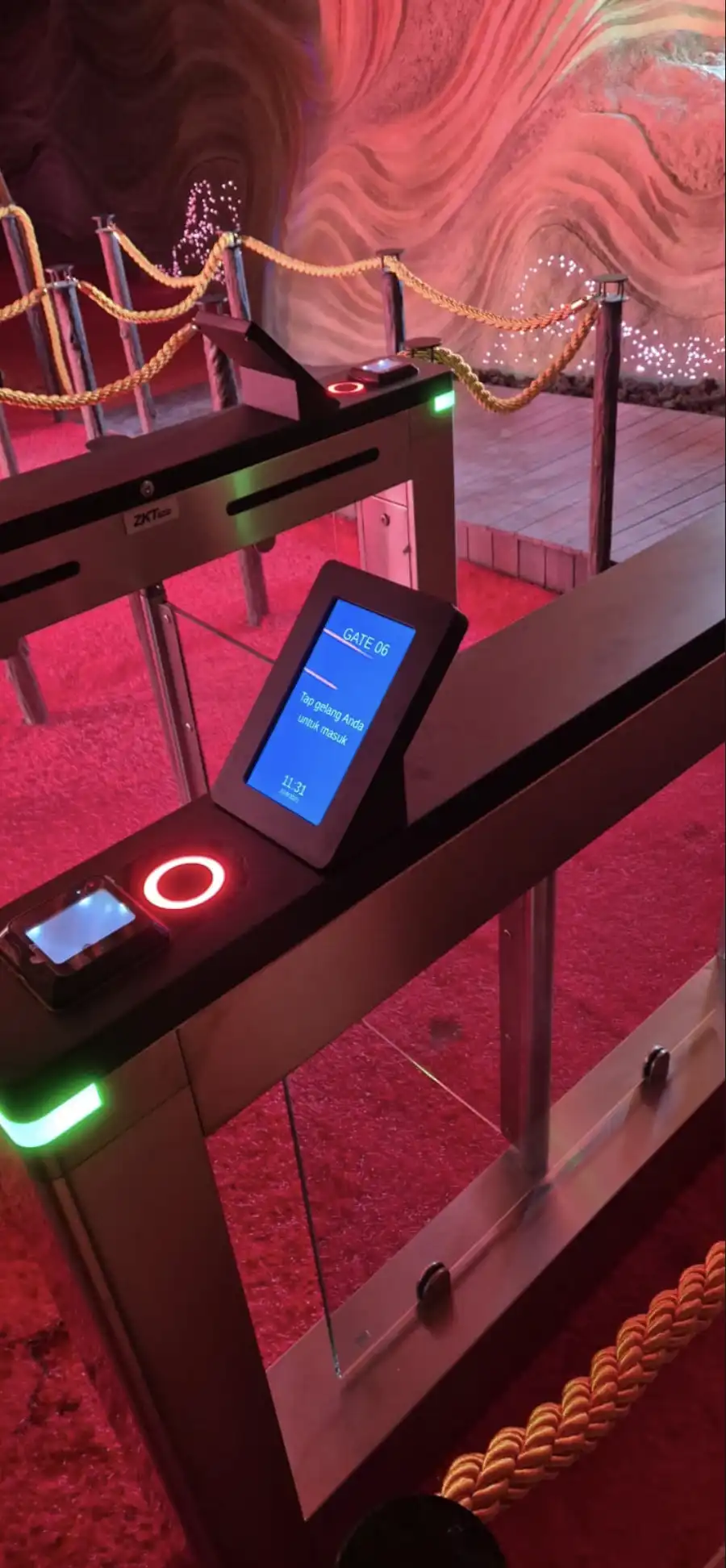
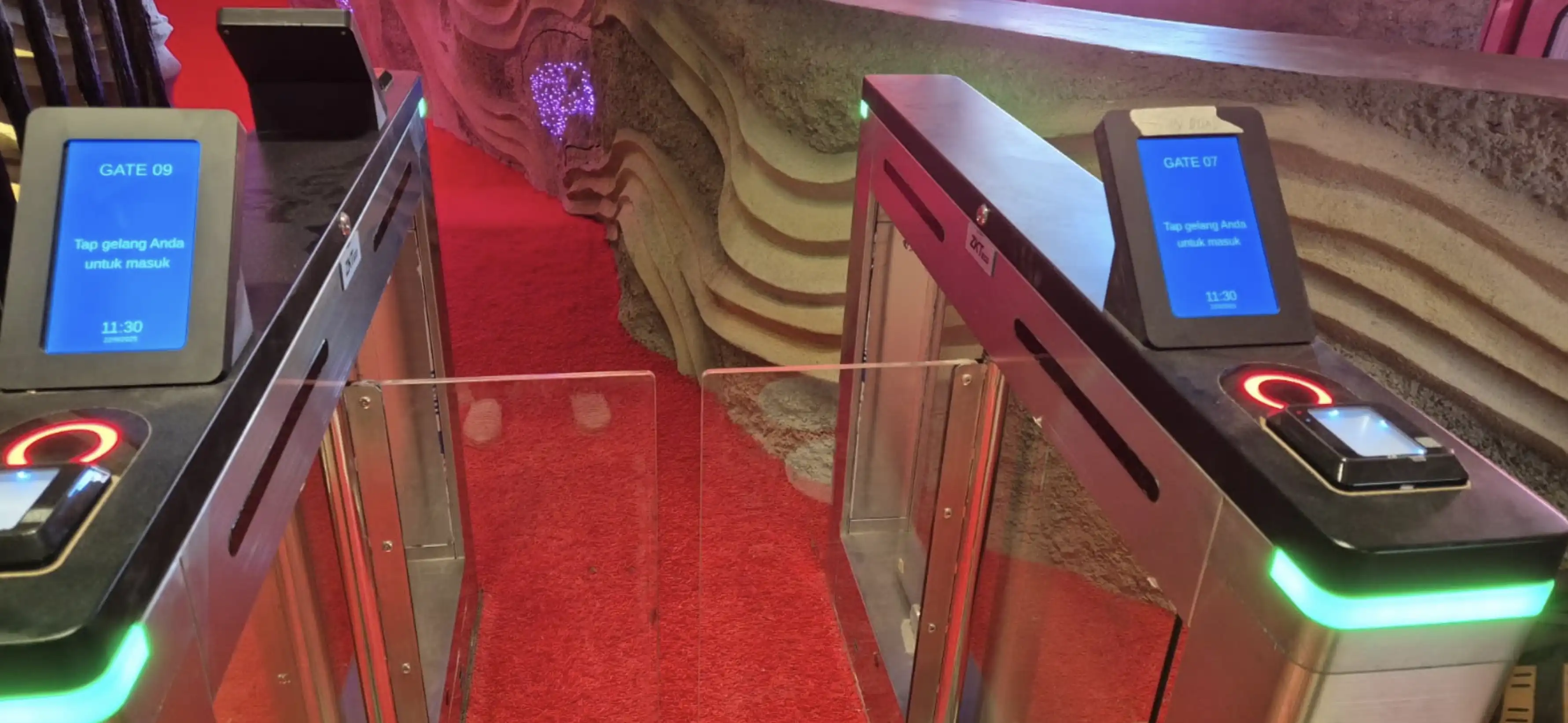
Hardware-integrated automated gate system that validates customer tickets via wristband (QR Code, RFID) tap for seamless, contactless attraction access control.

View Features →

WEB ADMIN

The admin panel for configuring the entire POS system — from pricing to user management.
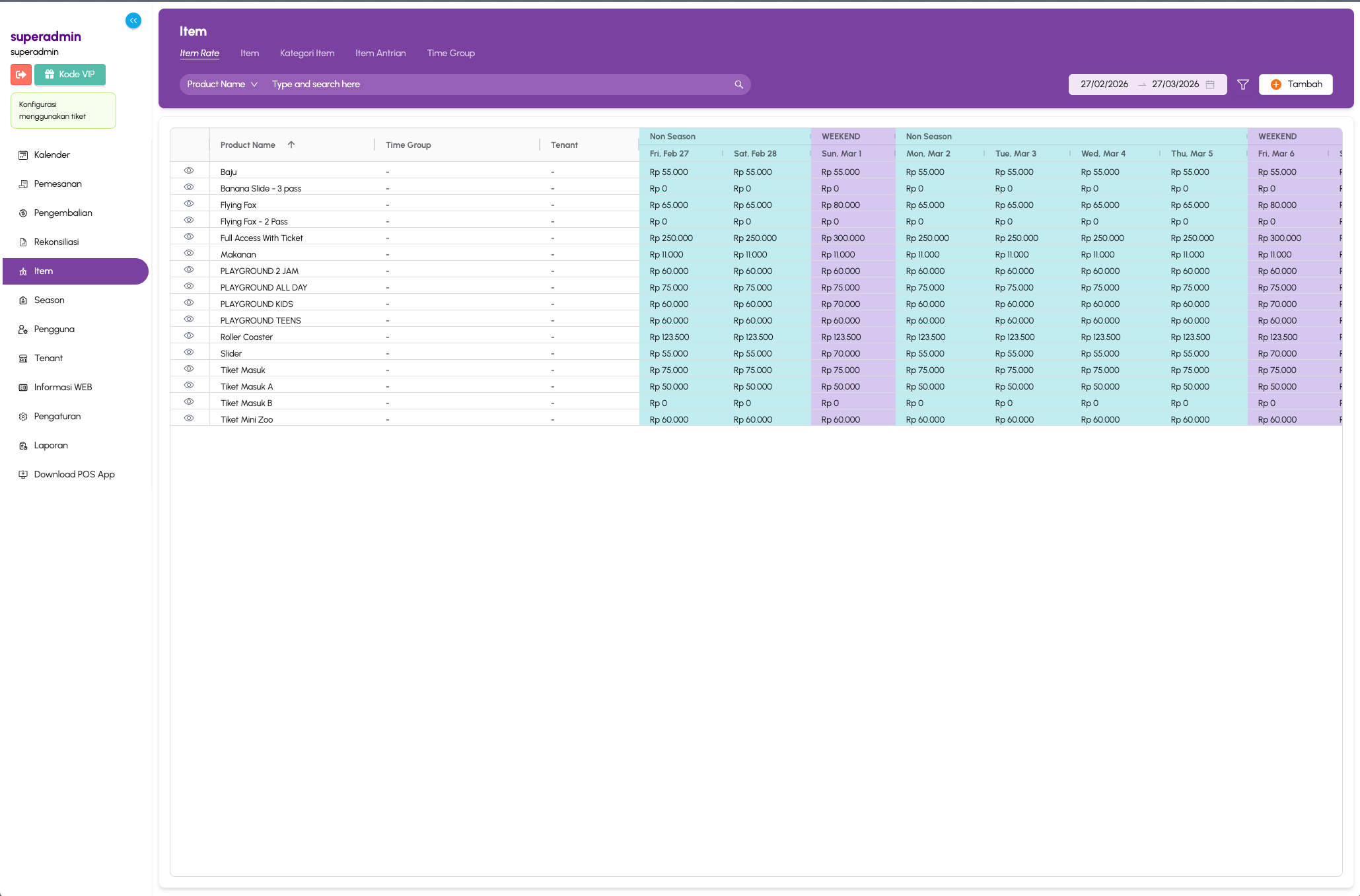
Season Price Configuration

SEASON-BASED PRICING

Set dynamic prices for items based on season, weekend, or special dates. Full calendar-view pricing matrix with per-item granularity.

  • Calendar-view pricing matrix
  • Per-item price granularity
  • Weekend & special date pricing
  • Seasonal price automation
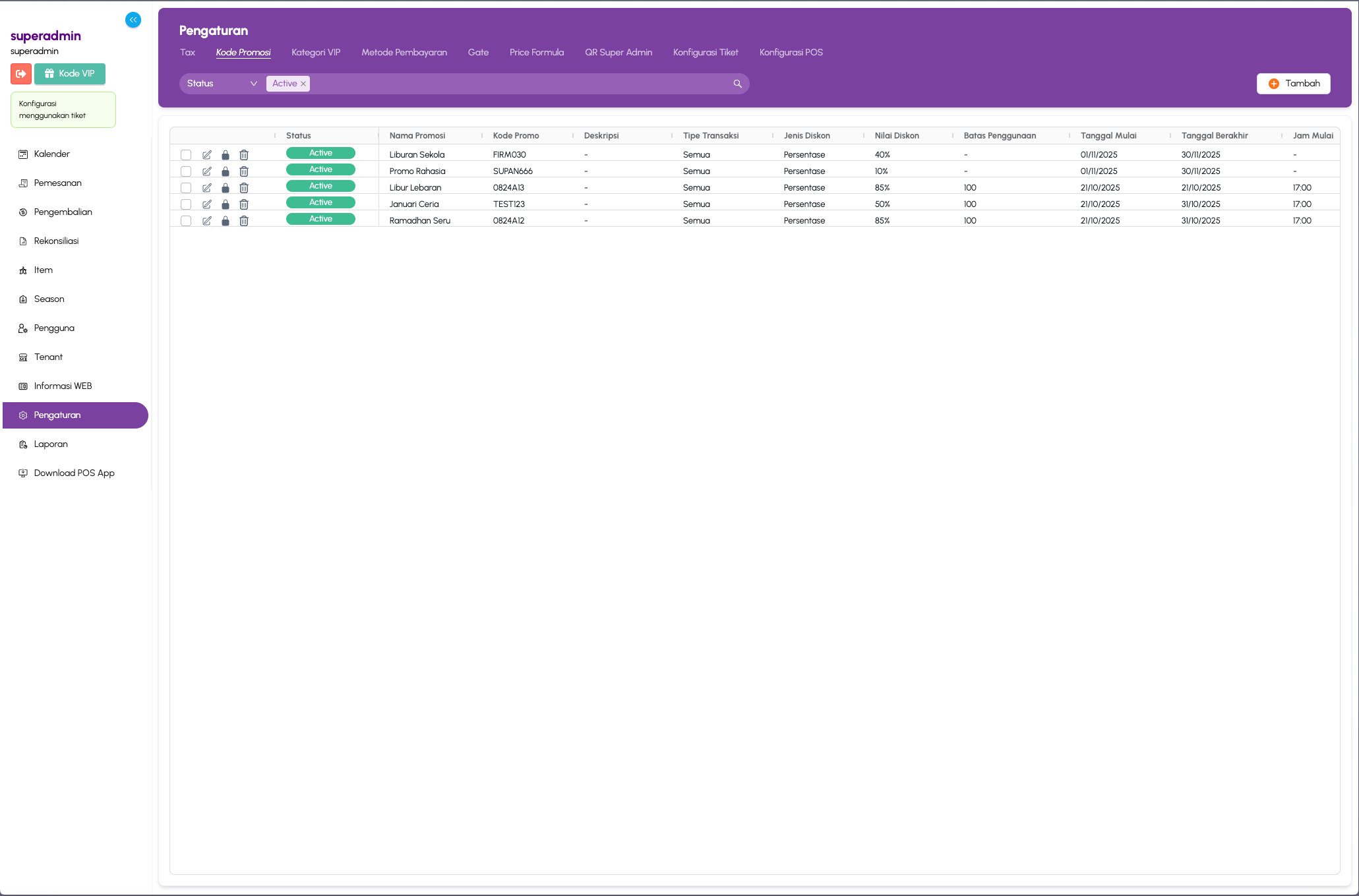
Promotion Discount Settings

PROMOTION & DISCOUNTS

Configure promotion codes with percentage-based discounts, usage limits, and validity periods. Apply across all transaction types.

  • Percentage-based discount codes
  • Usage limit configuration
  • Validity period management
  • Cross-transaction type support
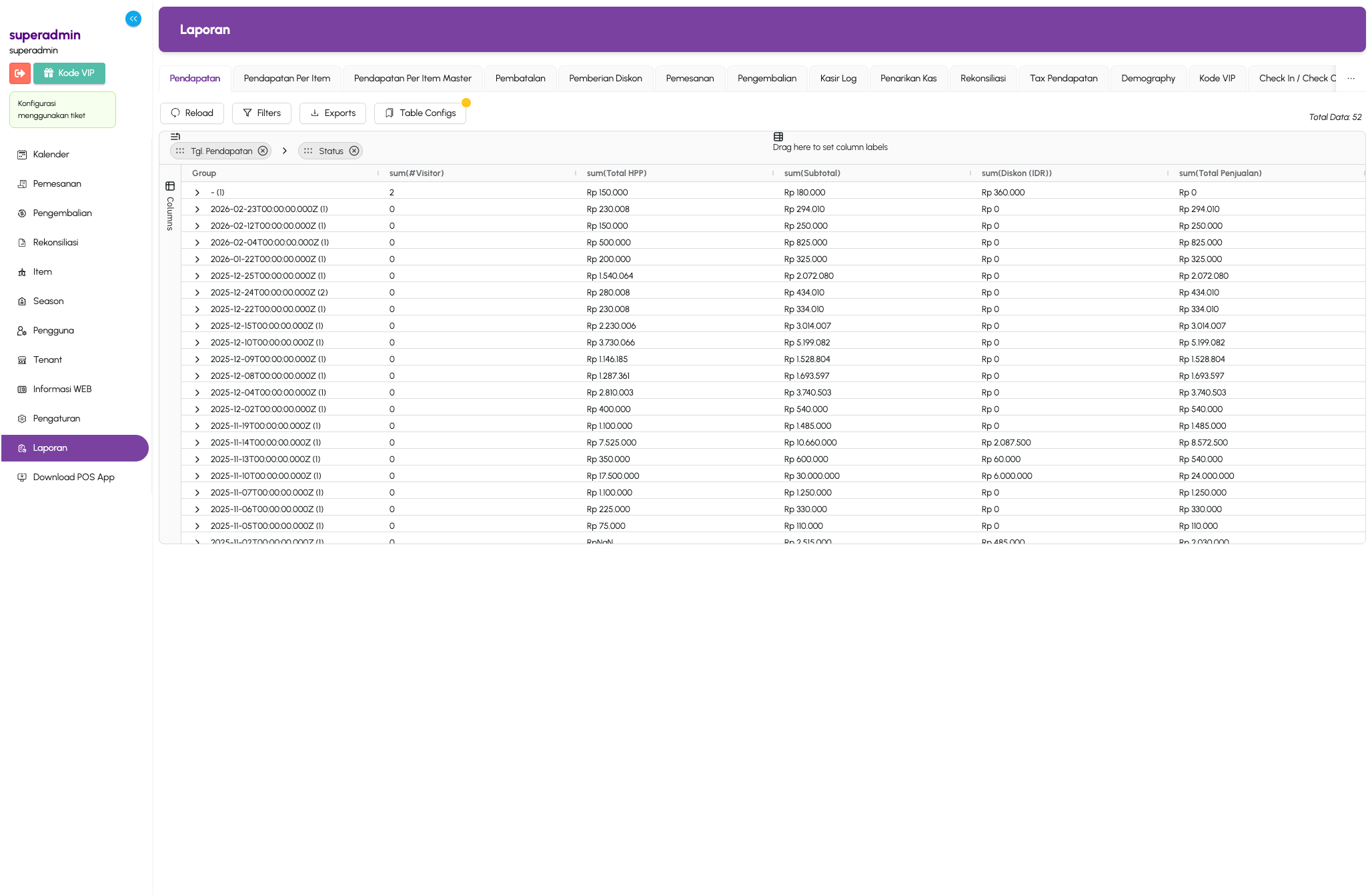
Flexible Report System

FLEXIBLE REPORTING

Generate customizable reports — revenue per item, cancellations, refunds, cashier logs, reconciliation, and more. Export and filter with ease.

  • Revenue per item breakdown
  • Cancellation & refund tracking
  • Cashier log reports
  • Reconciliation summaries
  • Export & advanced filtering
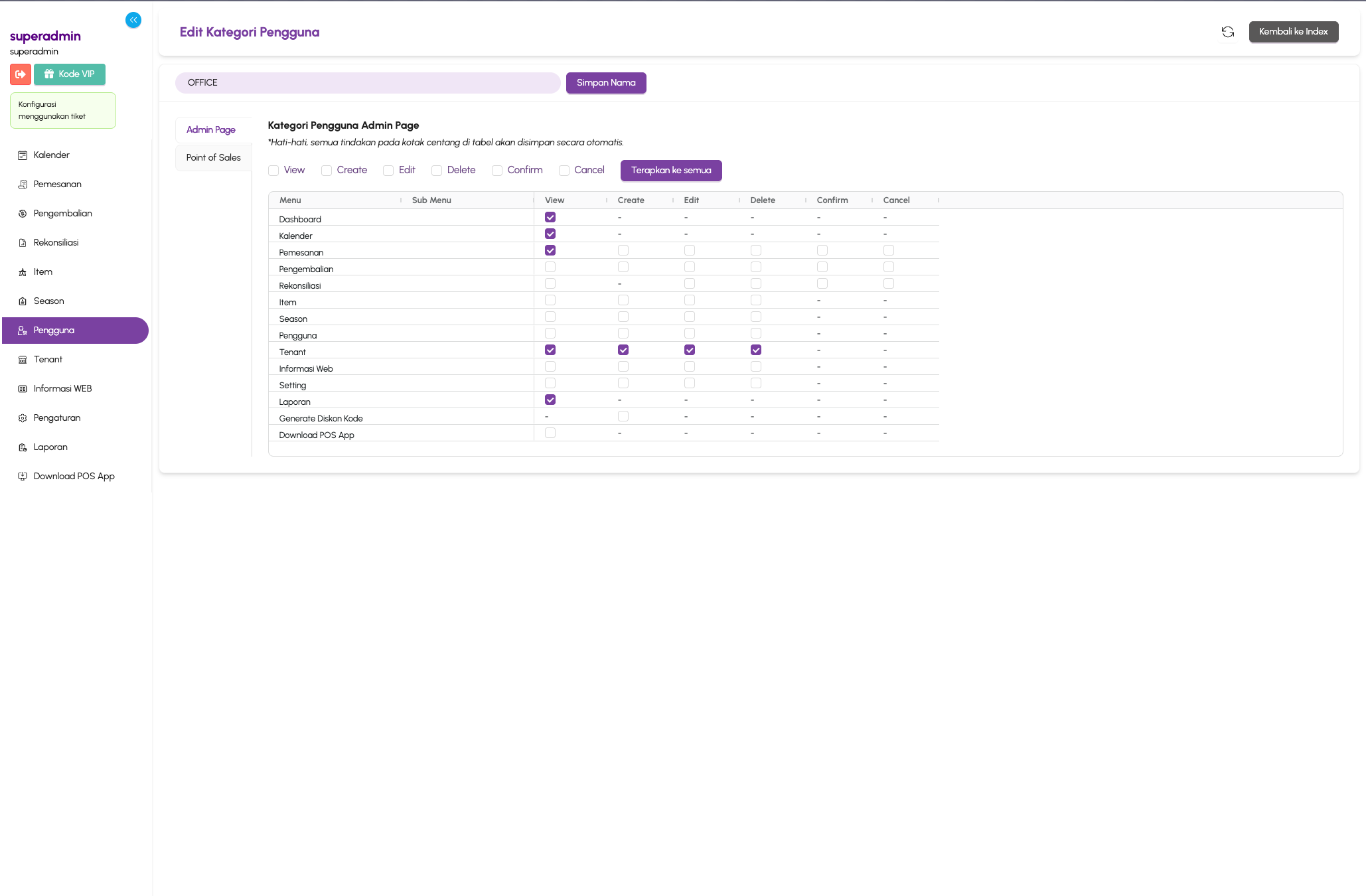
RBAC User Management

ROLE-BASED ACCESS

Granular permission system — assign View, Create, Edit, Delete, Confirm, and Cancel permissions per menu for each user role category.

  • Per-menu permission granularity
  • View, Create, Edit, Delete controls
  • Confirm & Cancel permissions
  • Role-category management
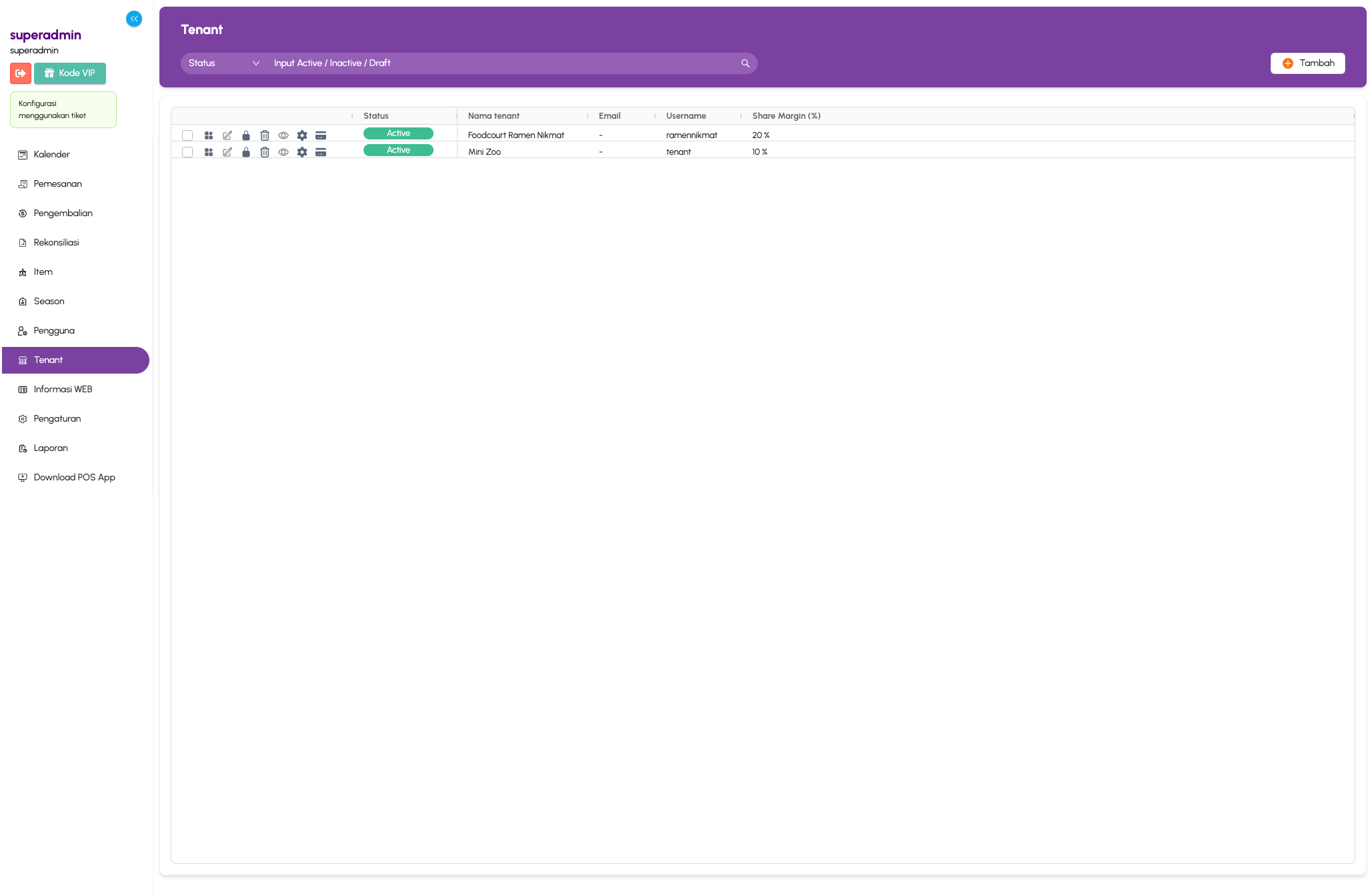
Tenant Profit Sharing

TENANT PROFIT SHARING

Manage multi-tenant configurations with customizable share margins. Each tenant gets their own login, reporting, and percentage-based profit split.

  • Customizable share margins
  • Per-tenant login & dashboard
  • Percentage-based profit split
  • Independent tenant reporting
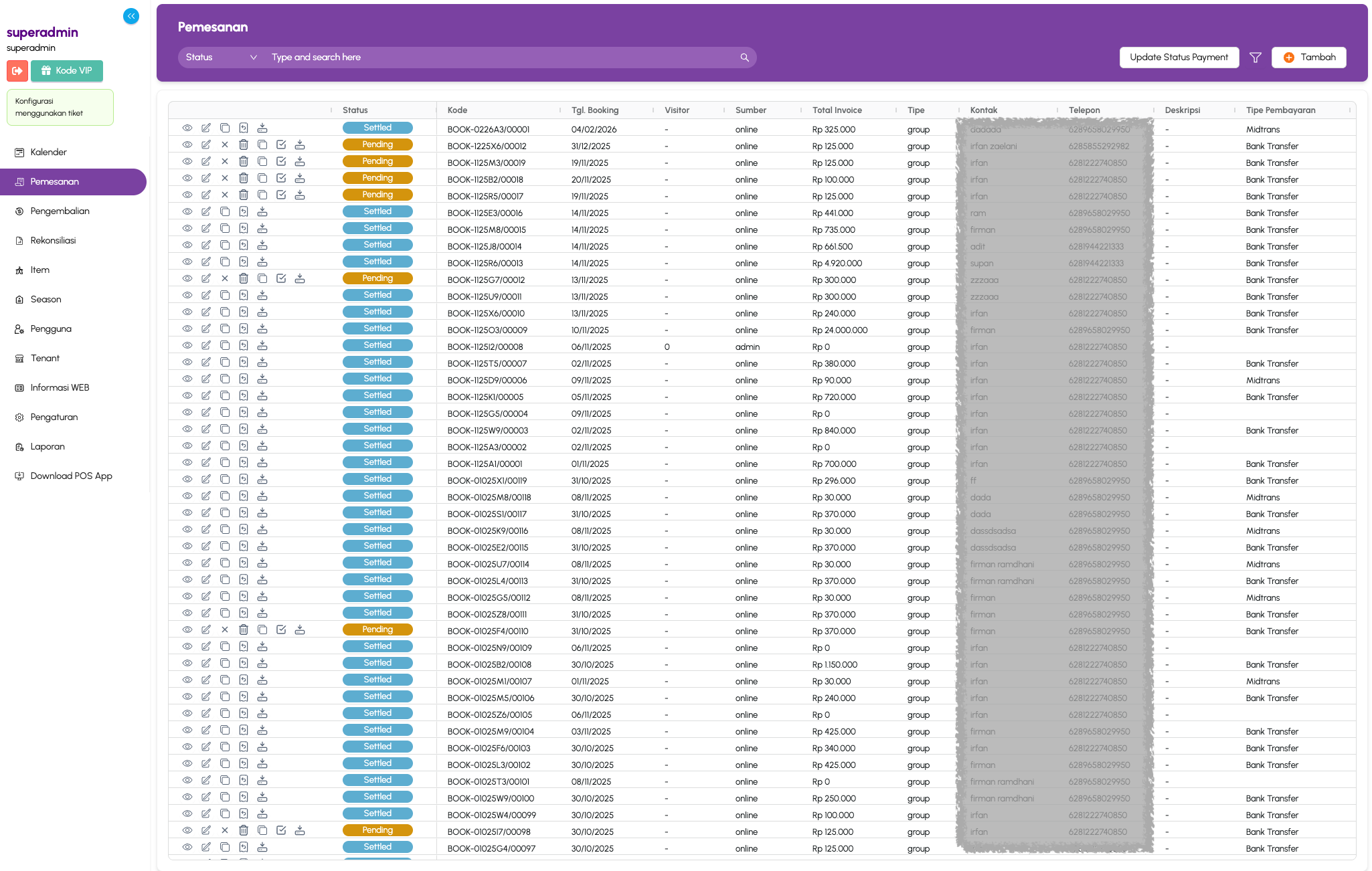
Booking Management

BOOKING MANAGEMENT

Full booking oversight — view all orders with status tracking, payment types, visitor info, and invoice totals. Bulk update and filter capabilities.

  • Order status tracking
  • Payment type breakdown
  • Visitor info management
  • Invoice total summaries
  • Bulk update & filtering
  • Marketing source tracking, for easy marketing campaign tracking
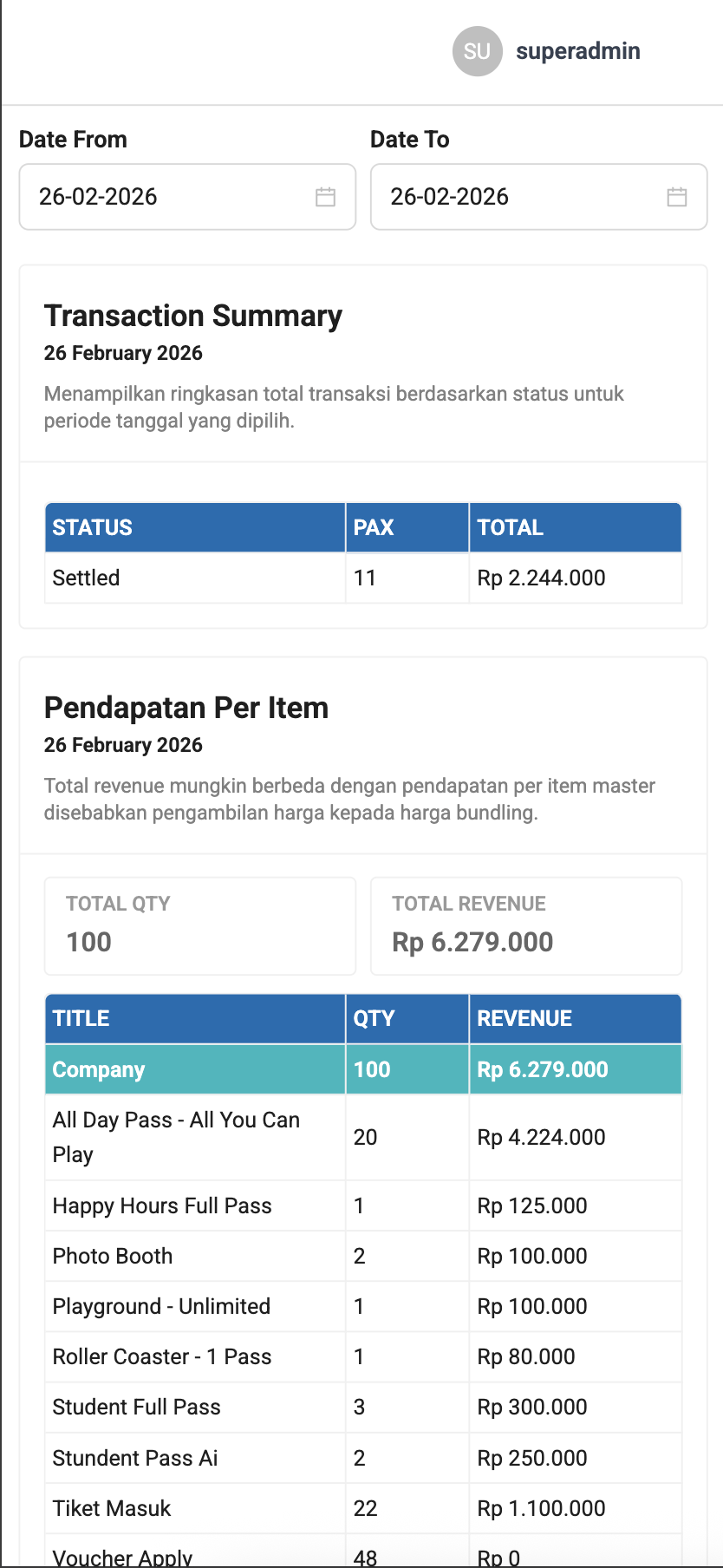
Mobile Report — Real-time Analytics

MOBILE REPORT

Access real-time sales reports directly from your mobile device — anytime, anywhere. View transaction summaries, revenue per item, and daily performance without needing a desktop.

  • Real-time transaction summary
  • Revenue per item breakdown
  • Date range filtering
  • Mobile-optimized responsive layout
  • Accessible from any device
  • No app install required

WEB CUSTOMER

The customer-facing platform for booking tickets online and viewing ticket information.

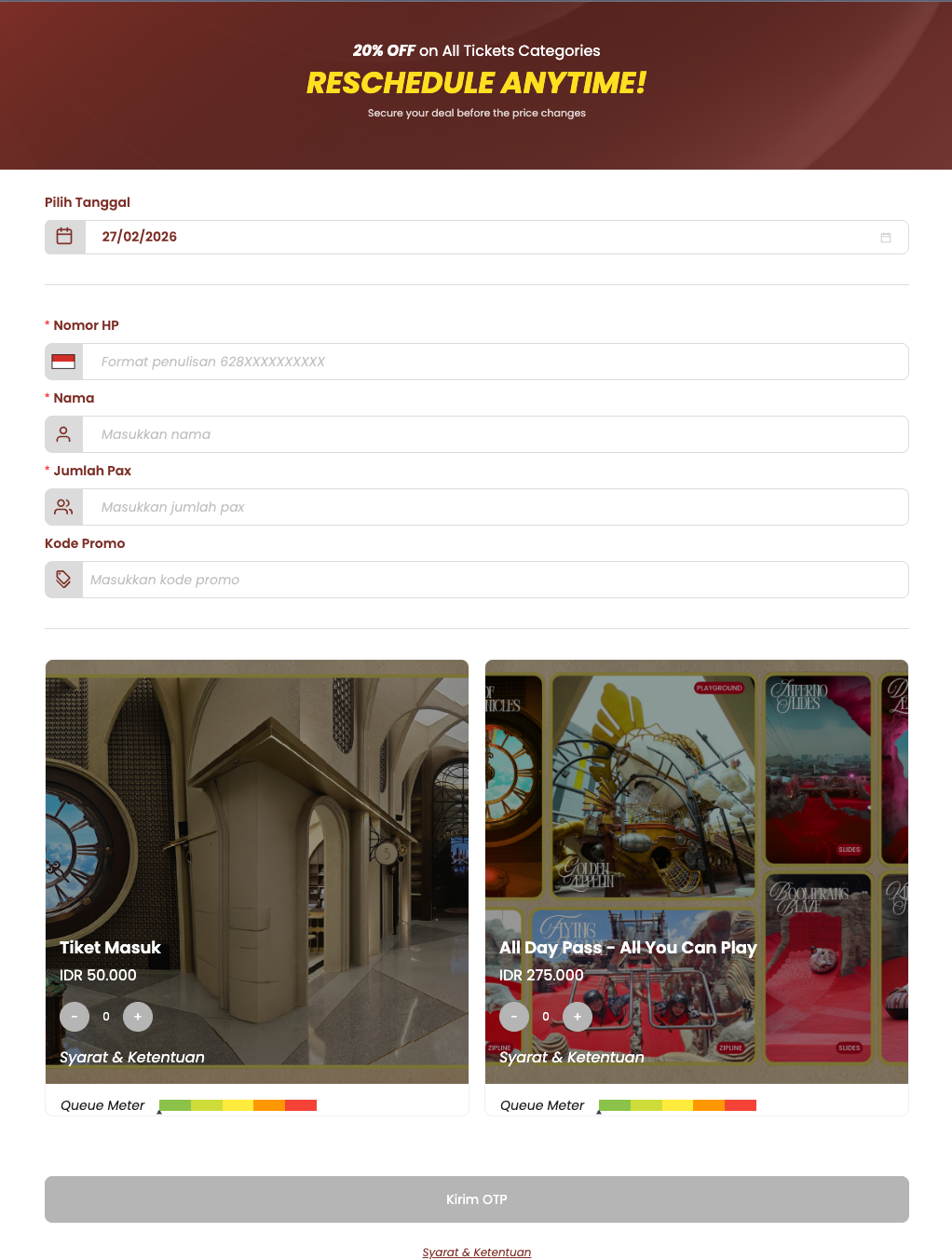
Buy Ticket Online

BOOK TICKETS ONLINE

Customers can book tickets directly from the web — select dates, enter visitor details, choose ticket categories, apply promo codes, and view real-time crowd meters before purchasing.

  • Date selection with calendar
  • Multiple ticket categories
  • Promo code support
  • Real-time queue meter
  • OTP verification
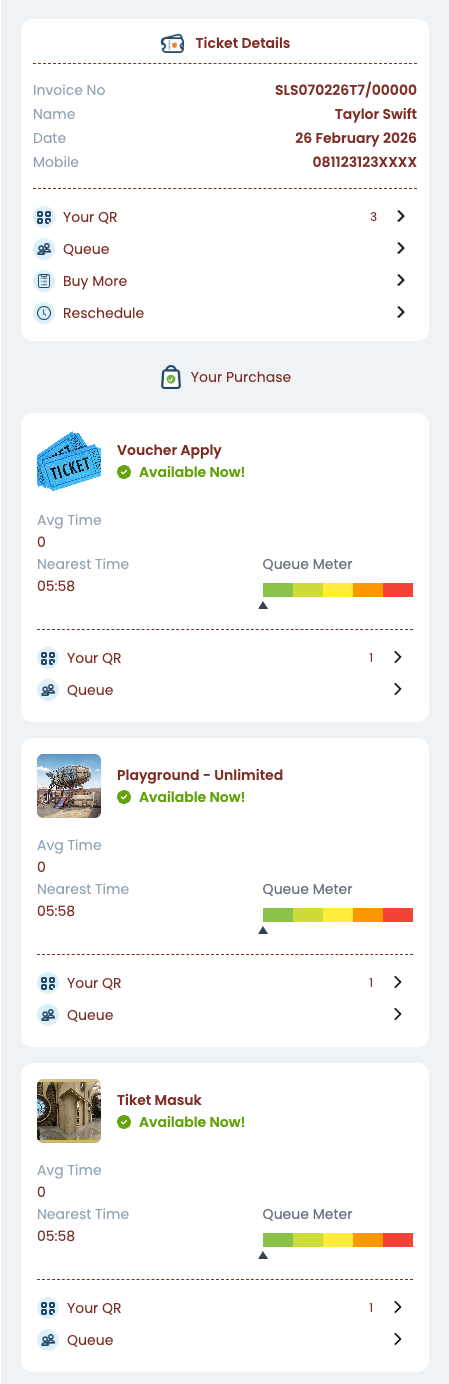
Customer Ticket Details

VIEW TICKET DETAILS

After purchase, customers get a complete ticket dashboard — showing invoice details, purchased attractions, availability status, average wait times, and queue meters for each attraction.

  • Invoice and visitor details
  • Real-time availability status
  • Queue meter per attraction
  • Average wait time display
  • Quick access to QR codes
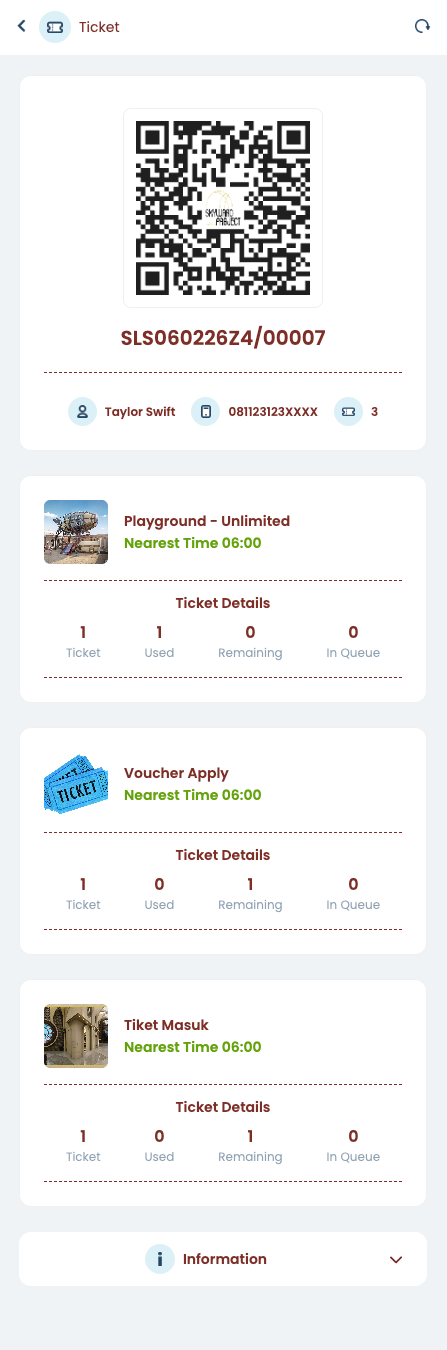
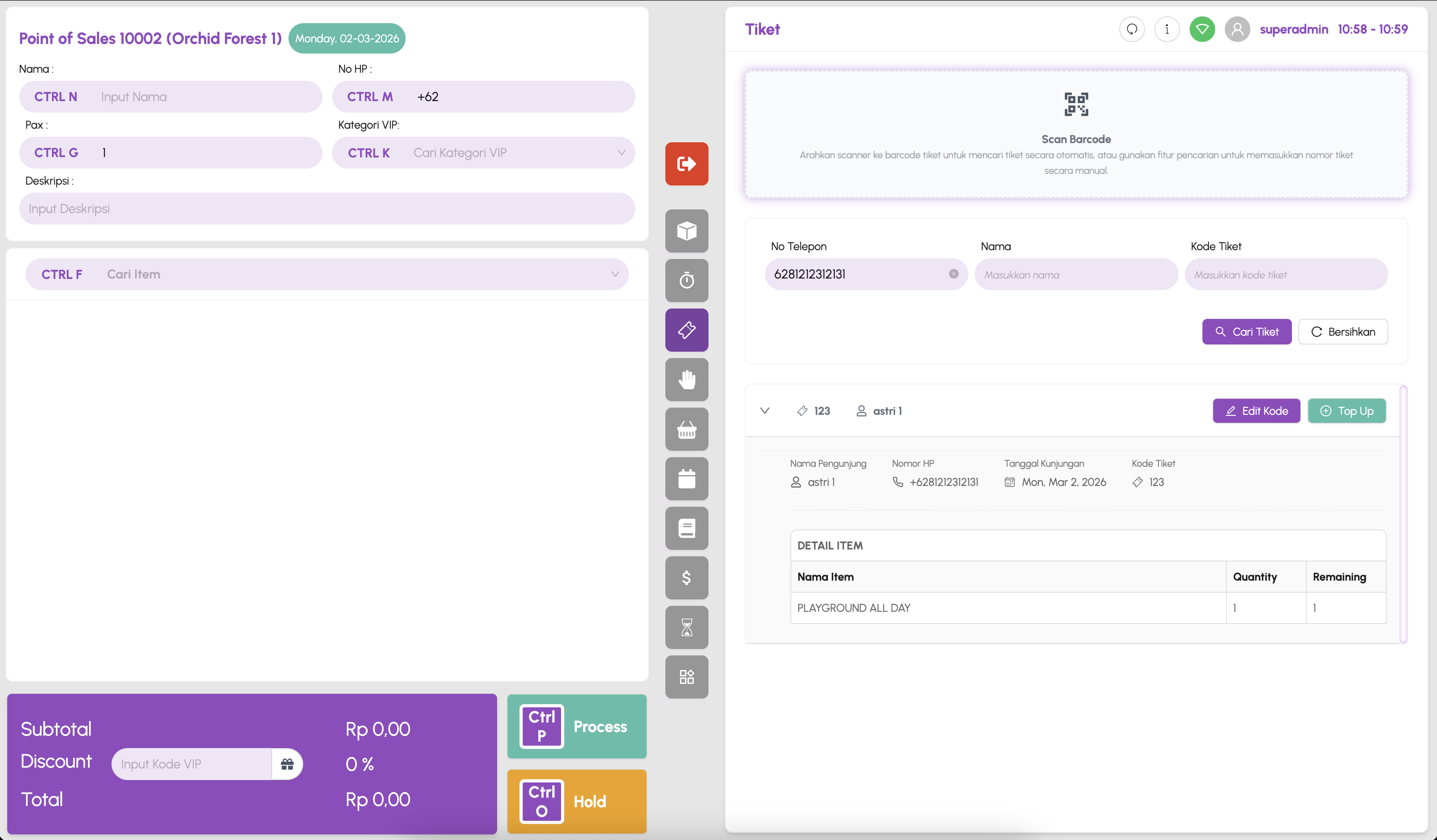
QR Code Tickets

QR CODE TICKETS

Each booking generates QR codes for entry — customers can view ticket details, remaining uses, and usage history per attraction directly from their device.

  • Scannable QR code per booking
  • Per-attraction usage tracking
  • Ticket/Used/Remaining counters
  • Nearest time slot display
  • Rescheduling support
Queue Display System

LIVE QUEUE DISPLAY

On-site queue display system shows the current queue number alongside attraction media. Visitors can see their position and wait accordingly — reducing crowding and improving experience.

  • Real-time queue number display
  • Attraction-specific signage
  • Auto-rotating media content
  • Crowd management support

OFFLINE MODE POS

Desktop application for on-site ticket sales — fully operational without internet connection.

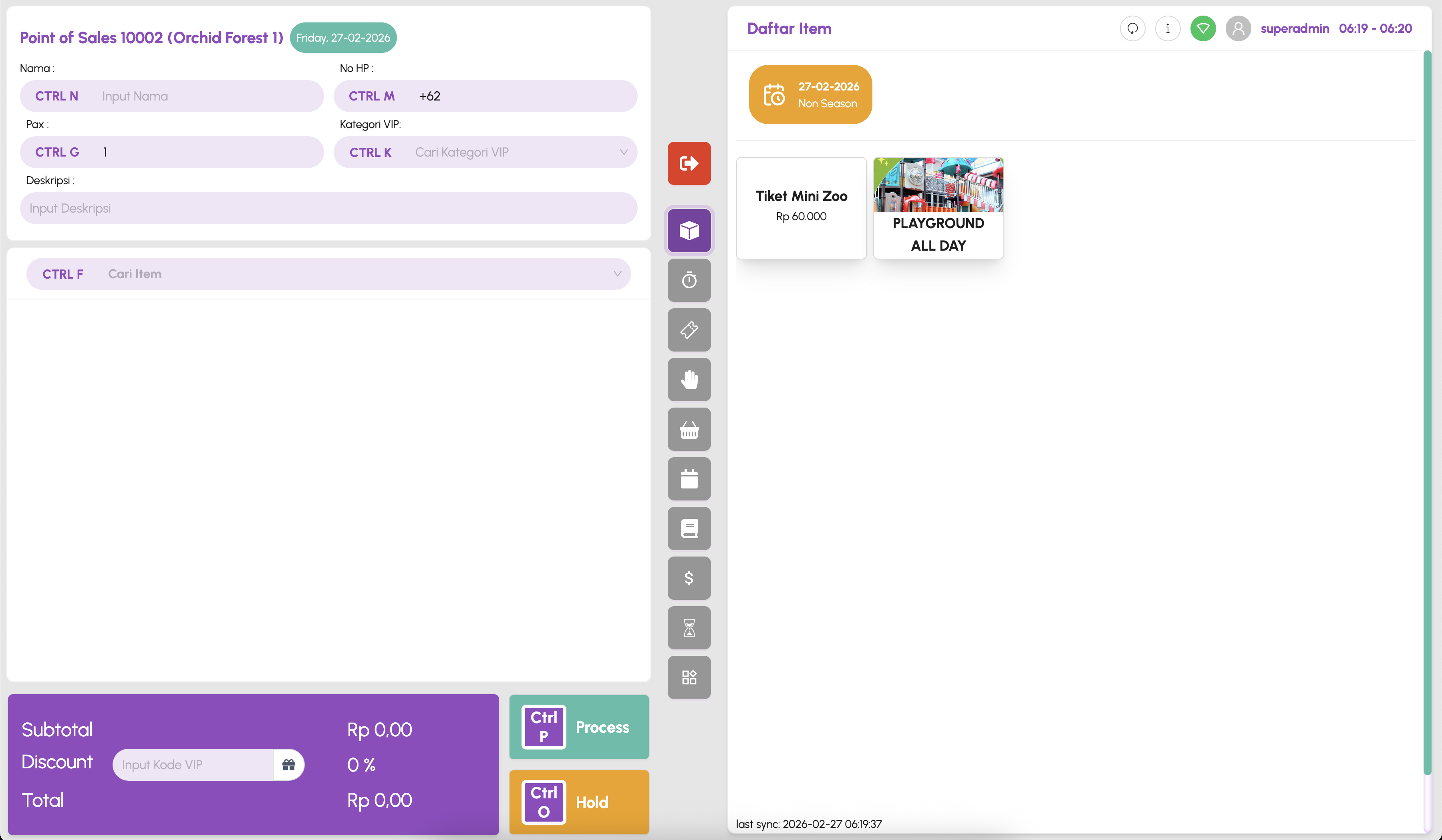
POS Home Interface

ITEM CONFIGURATION & SALES

The POS interface is designed for speed — keyboard shortcuts for every action, quick item search, customer info capture, VIP category support, and instant process/hold capabilities.

  • Keyboard shortcut-driven UI
  • Configurable item catalog
  • Real-time subtotal/discount/total
  • VIP code support
  • Offline-first architecture
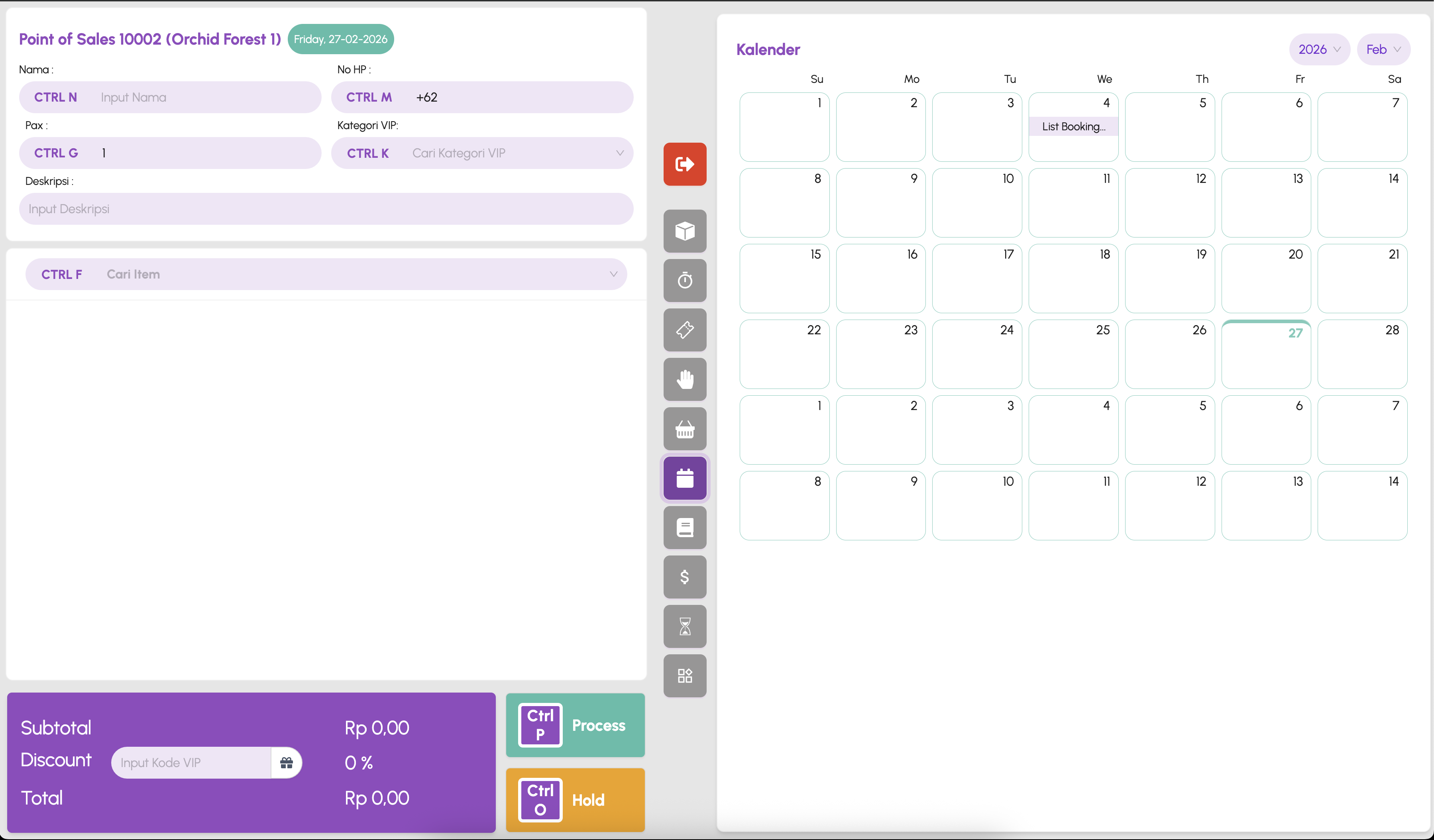
POS Calendar View

CALENDAR SCHEDULE VIEW

View and manage scheduled bookings through an intuitive calendar interface. See upcoming reservations, plan capacity, and manage time slots — all integrated into the POS workflow.

  • Monthly calendar overview
  • Booking list per date
  • Date-specific scheduling
  • Integrated with POS flow
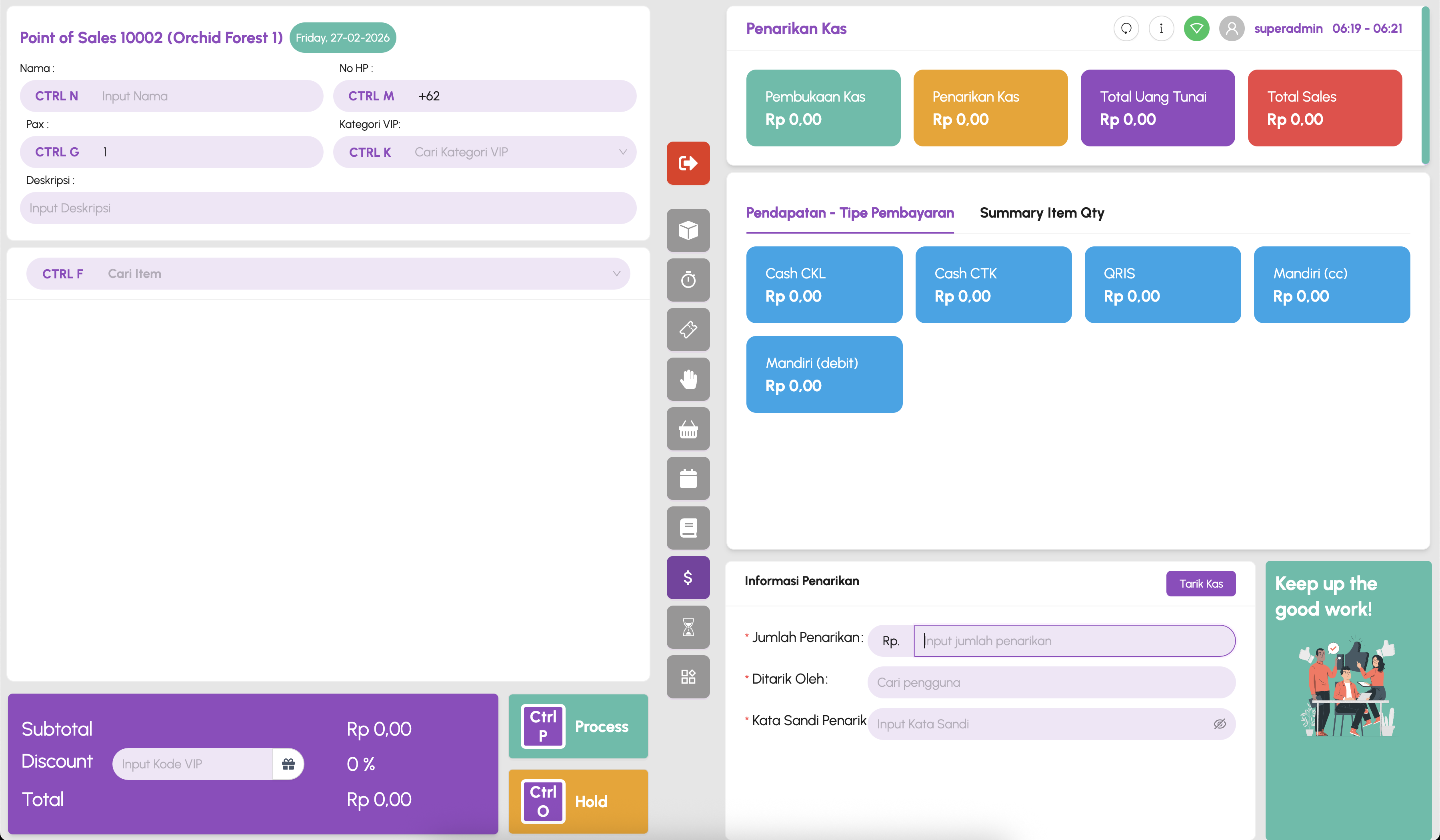
POS Sales Summary

SALES TRANSACTION RECAP

Comprehensive cash management and sales overview — track opening/closing cash, total sales by payment type, item quantities, and handle cash withdrawals with supervisor verification.

  • Cash opening/closing tracking
  • Revenue by payment method
  • Item quantity summaries
  • Cash withdrawal with auth
  • Auto-sync when online

AUTOMATED GATE

Hardware-integrated gate system that controls attraction access using customer tickets — tap wristband to enter.

SEAMLESS ACCESS CONTROL

The automated gate system integrates directly with the POS ecosystem. When a customer purchases a ticket, their wristband is linked to their booking. At each attraction gate, they simply tap to enter — the system validates the ticket in real-time and controls the physical barrier.

  • Wristband tap-to-enter validation
  • Real-time ticket verification
  • Per-attraction access control
  • Multi-lane gate support
  • Integrated with POS & booking system
  • On-screen gate number & instructions

DELIVERING
VALUE THROUGH
TRUST & PRECISION

Company PT Eigen Tri Mathema
Website eigen.co.id
PT Eigen Trimathema Portfolio